Error Handling
Dump
The <dump> tag is a informational element which can be included in a
page for diagnostic or debugging purposes. It will show various variable
and state values for the page. By default if a <dump> flag is embedded
in a page diagnostic information is not shown unless the force
attribute is specified or the $WEBDYNE_DUMP_FLAG is set, the latter
allowing the <dump> tag to be embedded into all pages on a site but
not activated unless debugging enabled.
Various diagnostic elements can be displayed - see the <dump> tag section for information on what they are. In this example all components are enabled and display is forced:
Dump display/hide can be controlled by form parameters or run URI query strings. In the example below ticking the checkbox or simply appending "?dump_enable=1" to the URL will display the dump information:
<start_html>
<p>
<form>
Your Name: <textfield name="name">
<p>
Show Dump: <checkbox name="dump_enable">
<p>
<submit>
</form>
<dump all force="!{! $_{'dump_enable'} !}">
Error Messages
Sooner or later something is going to go wrong in your code. If this happens WebDyne will generate an error showing what the error was and attempting to give information on where it came from: Take the following example:
If you run the above example an error message will be displayed
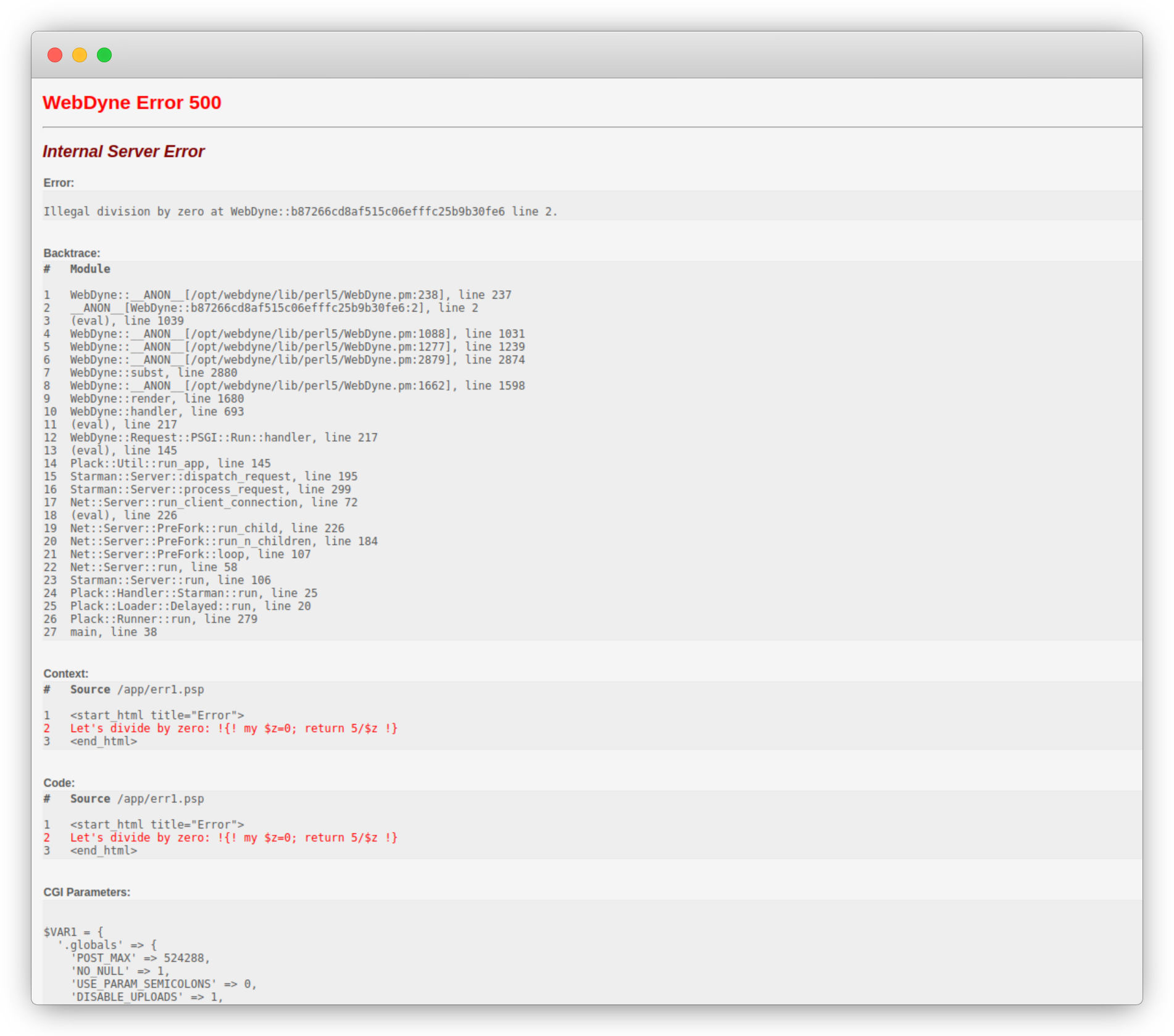
In this example the backtrace is within in-line code, so all references in the backtrace are to internal WebDyne modules. The code fragment will show the line with the error.
If we have a look at another example:
And the corresponding screen shot:

We can see that the error occurred in the "hello" subroutine (invoked at line 2 of the page) within the perl block on line 9. The 32 digit hexadecimal number is the page unique ID - it is different for each page. WebDyne runs the code for each page in a package name space that includes the page's UID - in this way pages with identical subroutine names (e.g. two pages with a "hello" subroutine) can be accommodated with no collision.
Exceptions
Errors (exceptions) can be generated within a WebDyne page in two ways:
-
By calling die() as shown in example above.
-
By returning an error message via the err() method, exported by default.
Examples
__PERL__


#  Good
#
sub hello {

    return err('no foobar') if !$foobar;

}

# Also OK
#
sub hello {

    return die('no foobar') if !$foobar;

}
Error Checking
So far all the code examples have just assumed that any call to a WebDyne API method has been successful - no error checking is done. WebDyne always returns "undef" if an API method call fails - which should be checked for after every call in a best practice scenario.
<start_html title="Error">
<perl handler="hello">

Hello World ${foo}

</perl>
<end_html>

__PERL__

sub hello {

    #  Check for error after calling render function
    #
    shift()->render( bar=> 'Again') || return err();

}
You can use the err() function to check for errors in WebDyne Perl code associated with a page, e.g.:
<start_html title="Error">
<form>
<submit name="Error" value="Click here for error !">
</form>
<perl handler="foo"/><end_html>

__PERL__

sub foo {

    &bar() || return err();
    \undef;

}

sub bar {

    return err('bang !') if $_{'Error'};
    \undef;
}
Note that the backtrace in this example shows where the error was triggered from.